
Gaming has become more immersive, competitive, and social than ever before. Whether you enjoy fast-paced multiplayer games, relaxing simulation titles, action-packed adventures, or classic favorites, the right setup can make every session more enjoyable.
You do not necessarily need a completely new console, computer, or expensive collection of equipment to improve your experience. In many cases, a few simple upgrades can make a noticeable difference in comfort, performance, convenience, and immersion.
From better audio to improved controllers and smarter cable management, small changes can help create a gaming setup that feels more organized and enjoyable.
If you are ready to upgrade your gaming space without completely rebuilding it, here are some simple improvements worth considering.
Upgrade Your Gaming Headset
Audio plays a major role in gaming.
A good gaming headset can help you hear dialogue, music, environmental effects, and directional sounds more clearly. In multiplayer games, it may also make communication with teammates easier.
If you are currently using basic earbuds or built-in television speakers, upgrading to a dedicated gaming headset can make games feel much more immersive.
Look for a headset that offers comfortable ear cushions, a secure fit, clear sound, and a reliable microphone.
If you usually play for several hours at a time, comfort should be one of your top priorities. A headset that sounds great but becomes uncomfortable after an hour may not be the best choice for your setup.
Wireless headsets offer more freedom of movement, while wired models provide a simple connection without requiring regular charging.
Choose the option that best fits the way you play.
Improve Your Controller Setup
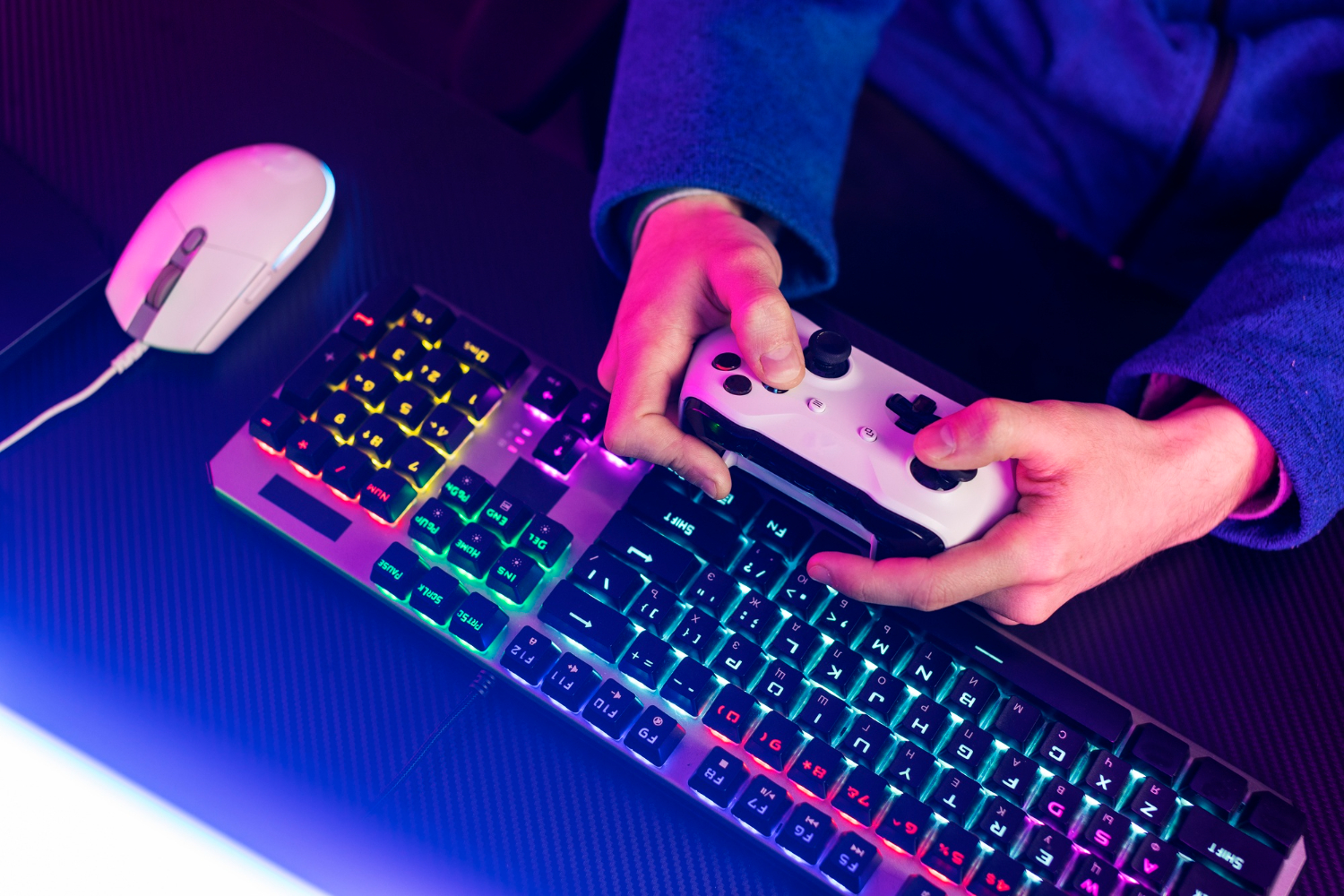
For console and PC gamers who prefer controllers, upgrading your controller can make your gaming experience more comfortable and responsive.
A controller with textured grips, responsive buttons, or customizable controls may feel more natural during longer gaming sessions.
Some controllers also feature additional programmable buttons that can make certain actions easier to access.
Even if you are happy with your current controller, small accessories can improve the experience.
Controller grips can provide extra comfort, while thumbstick covers may help with control and feel. A controller charging station can also keep your equipment organized and ready for your next gaming session.
These small additions can make a bigger difference than you might expect.
Consider a Better Gaming Mouse
If you play games on a computer, your mouse is one of the most important parts of your setup.
A basic office mouse may work for casual gaming, but a gaming mouse can offer features designed specifically for faster and more precise control.
Gaming mice may include adjustable sensitivity, programmable buttons, ergonomic designs, and faster response times.
The best mouse for you depends on the types of games you play.
Players who enjoy competitive shooters may prioritize lightweight designs and accurate tracking. Strategy or role-playing players may prefer a mouse with additional programmable buttons.
Comfort is also important.
Choose a mouse that fits naturally in your hand and works with your preferred grip style.
Add a Gaming Keyboard
A gaming keyboard can also improve a PC gaming setup.
Mechanical keyboards are popular because of their tactile feedback and responsive keys, but there are many different keyboard styles available.
Some players prefer compact keyboards that create more space for mouse movement. Others want full-size models with number pads, media controls, or additional programmable keys.
Backlighting can make it easier to see keys in darker environments while also adding personality to your setup.
However, appearance should not be your only consideration.
Look for a keyboard that feels comfortable, responds well, and provides the features you actually need.
Upgrade Your Display
Your monitor or television can have a major impact on how games look and feel. A higher-quality display can provide sharper images, smoother motion, and better color.
If you play fast-paced games, refresh rate may be especially important. A higher refresh rate can make movement appear smoother when your gaming system supports it.
Resolution is another consideration.
Higher-resolution displays can provide more detailed images, particularly on larger screens.
You do not always need the largest or most expensive monitor available. Choose a screen size and resolution that fit your available space, gaming hardware, and budget.
Positioning your display correctly can also improve comfort. Ideally, your screen should be positioned at a comfortable viewing height so you do not need to constantly tilt your neck.
Improve Your Gaming Audio With Speakers
Headsets are excellent for immersive and private gaming, but speakers can create a different experience.
A compact speaker system can be useful for casual gaming, racing games, sports titles, or situations where you do not want to wear headphones.
Even a simple desktop speaker setup can provide fuller sound than built-in monitor speakers. When choosing speakers, consider the size of your gaming space.
Smaller desk speakers may be perfect for a bedroom or office setup, while larger systems can work well in dedicated entertainment areas.
A combination of speakers and a headset gives you the flexibility to choose how you want to listen.
Make Charging Easier
Few things are more frustrating than starting a gaming session only to discover that your controller or wireless headset is almost out of battery.
A dedicated charging station can help solve this problem.
Controller docks provide a convenient place to store and charge your controllers at the same time.
USB charging hubs can also be useful if you regularly charge multiple gaming devices.
Portable power banks may help with handheld gaming systems, smartphones, or other portable gaming accessories when you are away from an outlet.
Creating a dedicated charging area makes it easier to keep everything powered and ready.
Organize Your Cables
Cable management may not directly improve gaming performance, but it can completely change how your setup looks and feels.
Gaming desks often have cables for monitors, consoles, computers, speakers, controllers, chargers, and other accessories.
Without organization, those cables can quickly become tangled.
Simple cable ties, clips, sleeves, or under-desk organizers can help keep wires together and out of the way.
A cleaner setup can make your gaming area more comfortable and easier to maintain.
It can also make it easier to identify and replace cables when you need to connect new equipment.
Improve Your Seating
Gaming is often about long periods of sitting, so comfort matters.
You do not necessarily need an expensive gaming chair, but you should have seating that provides good support.
Your chair should allow your feet to rest comfortably while keeping your back supported. Adjustable height and armrests can make it easier to create a comfortable position.
If replacing your chair is not an option, adding a supportive seat cushion or lumbar cushion may help improve comfort.
Taking regular breaks and changing positions during long gaming sessions is also important.
A more comfortable gaming area can help you stay focused and enjoy your games for longer periods.
Add Better Lighting
Lighting can change the entire atmosphere of your gaming setup.
LED lighting is popular among gamers because it can add personality and create a more immersive environment.
You might place light strips behind your monitor, desk, or entertainment center to create soft background lighting.
Desk lamps and adjustable lights can also make it easier to see your keyboard, controllers, and accessories.
Avoid positioning bright lights directly behind or in front of your screen, as this can create distracting glare.
Instead, aim for balanced lighting that makes your gaming space comfortable without overpowering your display.
Upgrade Your Storage
Gaming accessories can quickly create clutter.
Controllers, cables, headsets, games, charging equipment, and other devices all need a place to go.
Simple storage solutions can make your gaming area much easier to manage.
A headset stand can keep your headphones protected and within reach. Controller holders can prevent controllers from being left around the room. Shelving can provide space for games, collectibles, and equipment.
Keeping your gaming accessories organized means you can spend less time looking for things and more time actually playing.
Improve Your Internet Connection
For online gaming, a reliable internet connection is extremely important. Lag, connection drops, and slow downloads can interrupt your gaming experience.
If your Wi-Fi connection is inconsistent, consider whether a wired Ethernet connection is available.
A wired connection can provide a more stable connection for many gaming systems.
If running a cable is not practical, repositioning your router or improving your home network setup may help.
Keeping unnecessary downloads and streaming activity under control while gaming can also reduce network congestion.
Consider Portable Gaming Accessories
Gaming is no longer limited to a desk or television.
Handheld gaming systems, tablets, and smartphones allow people to play almost anywhere. A few portable accessories can make gaming on the go more convenient.
Consider a compact controller, portable charger, carrying case, wireless earbuds, or adjustable device stand.
These accessories can be especially useful during travel, commutes, or extended time away from home.
A small portable gaming kit can make it easier to enjoy your favorite games wherever you go.
Customize Your Setup Around Your Games
Not every gamer needs the same equipment.
Someone who mainly plays racing games may enjoy a steering wheel and pedal setup. A person who plays competitive shooters may focus more on mouse accuracy and monitor refresh rate.
Someone who enjoys casual gaming might care more about comfortable seating and good speakers.
Think about the games you play most often before purchasing new accessories.
The goal should be to build a setup that supports your personal gaming habits rather than copying someone else’s equipment.
Upgrade Gradually
One of the best things about gaming accessories is that you can improve your setup over time. You do not need to purchase everything at once.
Start with the upgrade that will make the biggest difference to your current experience.
Maybe your headset is uncomfortable. Perhaps your desk is cluttered with cables. Maybe your controller constantly runs out of battery.
Solve one issue at a time.
Gradual upgrades make it easier to control your budget while creating a setup that truly fits your needs.
Final Thoughts
Transforming your gaming experience does not always require buying a brand-new gaming system.
Simple upgrades such as a better headset, improved controller, gaming mouse, charging dock, organized cables, comfortable seating, or improved lighting can make a noticeable difference.
Focus on the areas of your setup that affect you most.
Comfort, organization, audio quality, controls, and connectivity all contribute to how enjoyable your gaming sessions feel.
By upgrading strategically and choosing accessories that match the games you play, you can create a gaming environment that feels more comfortable, immersive, and personal.
Sometimes, the smallest changes can have the biggest impact.